Wakatime for
Apps Script
Track your coding activity in the Google Apps Script editor. Set your machine name, paste your API key, and start sending heartbeats to your WakaTime dashboard instantly.
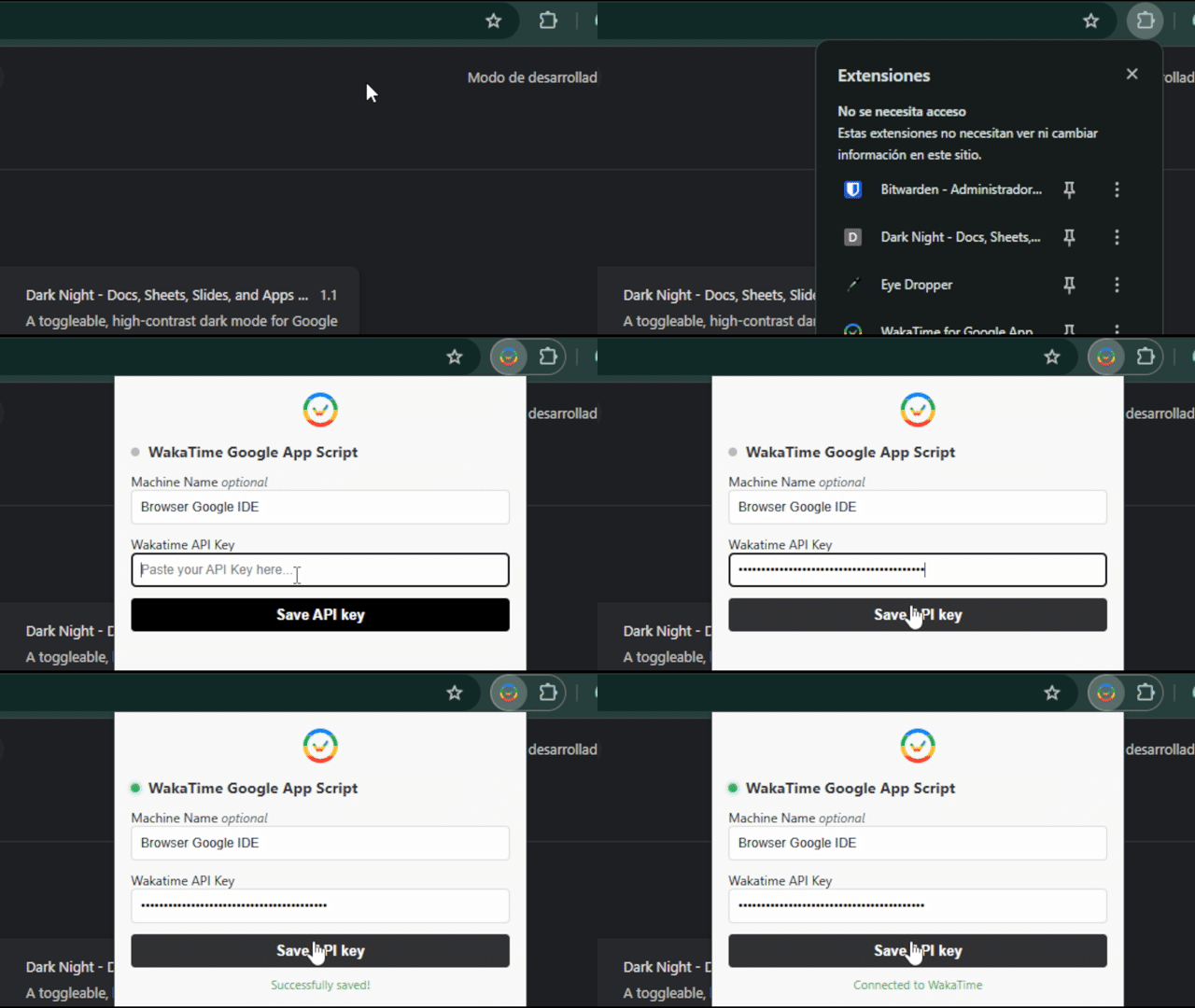
Up and running in under a minute
Three simple steps to start tracking your Apps Script coding time on WakaTime.
Install the extension
Add the extension to your browser from the Chrome Web Store or load it manually.
Configure your settings
Open the extension popup, set your machine name, and paste your WakaTime API key.
Start coding
Open the Apps Script editor and code as usual. Heartbeats are sent automatically.
Everything you need to track your Apps Script time
A seamless integration that brings the power of WakaTime time-tracking to the Google Apps Script editor.
Automatic Heartbeats
Every keystroke and file change in the Apps Script editor is automatically tracked and sent as a heartbeat to WakaTime.
Simple API Key Setup
Just paste your WakaTime API key into the extension popup. No complex configuration or additional accounts needed.
Custom Machine Name
Set a custom machine name to distinguish your Apps Script activity from other editors on your WakaTime dashboard.
Lightweight & Fast
Minimal footprint browser extension that runs silently in the background without affecting your editor performance.
WakaTime Dashboard
All your Apps Script coding time appears on your existing WakaTime dashboard alongside data from other editors.
Privacy Focused
Your API key is stored locally in your browser. No data is sent to any third-party servers besides WakaTime.
Support the project
This extension is free and open source. If you find it useful, consider supporting the development by starring the repository or sharing it with fellow developers.
I will appreciate any form of support, it means a lot to me.